Repeat a real click
Set a target with one click that still reaches the button or field underneath, then replay it on a schedule.


417 Clicker records one target or follows your mouse, then left-clicks until you say stop.
01 / EXPLORE THE APP
Three real screens from version 1.0.1. Select any image to see it at a larger size, then browse with the arrows.
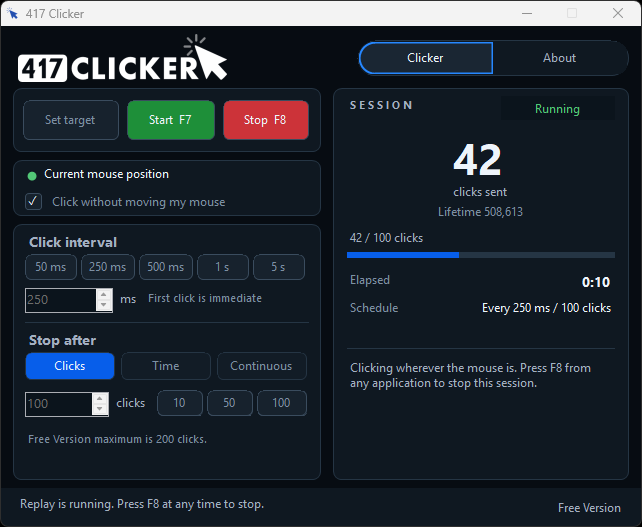
Follow the pointer without jumping back to a saved target. Start with F7 and stop with F8 from any window.
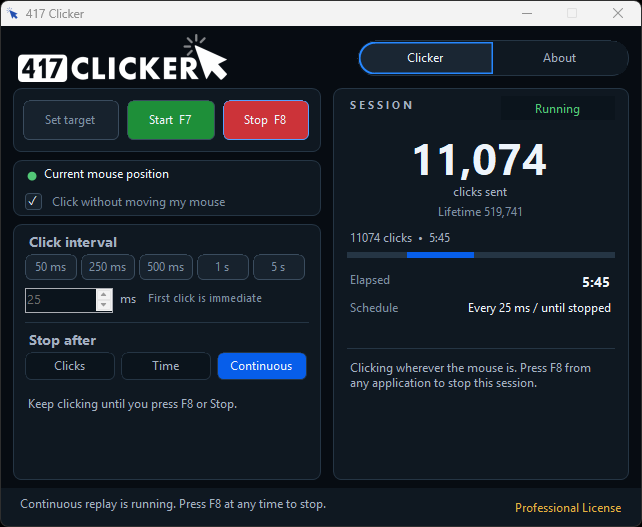
Professional unlocks timed sessions, 50 ms clicks, custom intervals, and continuous runs.
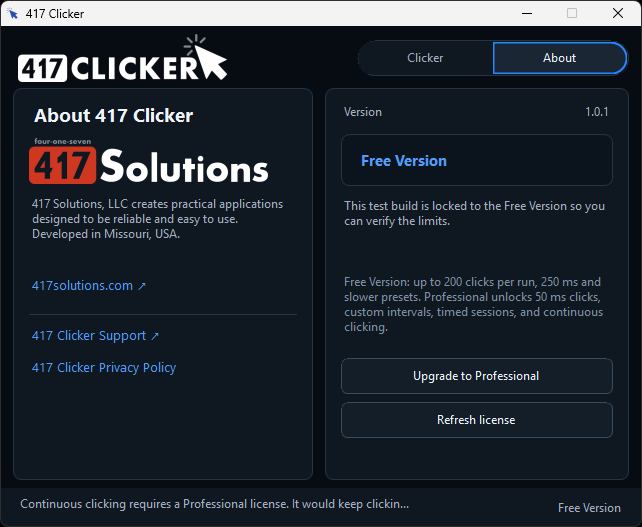
See the app version, Free Version or Professional License, and links to help and the privacy policy.
02 / PUT IT TO WORK
Set one on-screen location, or click wherever the pointer is. No website integration or API is needed.
Set a target with one click that still reaches the button or field underneath, then replay it on a schedule.
Turn on Click without moving my mouse and 417 Clicker clicks wherever the pointer is while you keep working.
Free Version covers click-count runs. Professional adds timed sessions and continuous clicking until you press F8.
03 / GET STARTED
The first click is immediate. The interval is the wait between later clicks. Start with F7 and stop with F8 from any window.
Use Set target to save a screen coordinate, or turn on Click without moving my mouse to follow the pointer.
Pick an interval and a stop rule: a click count, a time limit, or continuous clicking.
Press F7 to start and F8 to stop. Your target, schedule, and options are saved for next time.
Windows does not allow a normal desktop app to click into an elevated (Run as administrator) window. Run 417 Clicker at the same privilege level as the app you want to click.
04 / YOUR COMPUTER, YOUR CONTROL
Clicks are sent on your PC. 417 Clicker does not include advertising or an analytics SDK, and it does not upload your click targets or settings.
The Free Version covers everyday click-count runs. Upgrade to Professional when you need faster clicks, timed runs, or continuous clicking.
Get 417 Clicker